Here, I am sharing how and why I built Rando API, a small collection of API routes for my personal use.
# Why?
I work on side projects a lot. And I often find myself needing quick, random API endpoints for experimenting or prototyping. And I didn’t want anything huge or critical. I only needed a lightweight, reliable solution. This led me to create Rando API.
# Tech Stack
# Golang
I chose Golang to build Rando API for two main reasons: learning and performance.
I primarily work with JavaScript, React, and TypeScript for front-end and full-stack development. I wanted to step out of my comfort zone and explore a new language. Go caught my attention because of its clean syntax, strong standard library, and growing popularity in building APIs and microservices. I thought I could learn it by building this API with Go. Building a project is more effective than following tutorials.
Another reason for choosing Go is performance. Go compiles to native machine code, making it significantly faster than interpreted languages like JavaScript or Python. The generated binary was small, and used less memory.
# DigitalOcean
I didn’t want a microservice-like thing. I wanted a traditional web server. For that I chose DigitalOcean Droplet, which is cost-effective and developer-friendly. DigitalOcean offers shared and dedicated VPS hosting.
I already had a droplet running another web application, and I had some free resources on it. I deployed the Rando API on there and it wasn’t even noticable on the memory.
Initially I have configured the API as a systemd service and used nginx as a reverse proxy. The whole process was straightforward, and DigitalOcean’s tutorials helped me get it right.
To deploy, I pull from GitHub, compile the code and restart the systemd service.
If you’re a developer looking to build your own utility API, I highly recommend experimenting with Go and DigitalOcean. The combination of Go’s performance and DigitalOcean’s affordability is hard to beat, especially for side projects on a budget. Have you ever built a similar thing? Let me know your thoughts or questions.
# Features
# Live Users Count
To see how many users are on the current website.
I implemented it on S1 and here is how it looks right now:
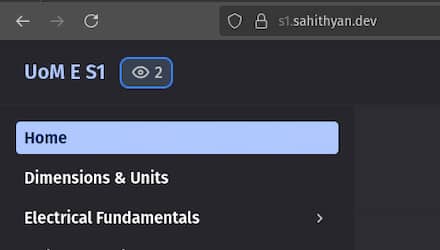
Implementing this was more fun than I imagined. IT WORKED ON THE FIRST TRY!!
When it comes to subscribing to real-time data from the backend, we have 2 choices:
- WebSockets
- Server Sent Events (SSE)
WebSockets are the widely used one. However, I used Server Sent Events to broadcast updates regarding the count.
I chose to go with SSE here because I have never used it before. And it was good for unidirectional (one-way) data communication from server to client. SSE doesn’t have ping-pong mechanism like WebSockets.
But how would this work if the data transfer is unidirectional?
Every time a client connects to the backend, the server records it as a new user. It keeps track of connected clients. When a client is disconnected, the count is decreased. Changes will be notified to all connected clients.
Here is how the live user count is fetched on the frontend.
// Connect to the /live-user-count for example.com
const eventSource = new EventSource(
	"//rando.sahithyan.dev/live-users-count?d=example.com",
	{},
);

// Whenever the user count changes, the server will send a message event
// UI should be updated in this event.
eventSource.addEventListener("message", (event) => {
	console.log(event.data);
});

// "open" event is triggered when the connection is established successfully
eventSource.addEventListener("open", () => {
	console.log("connected");
});